
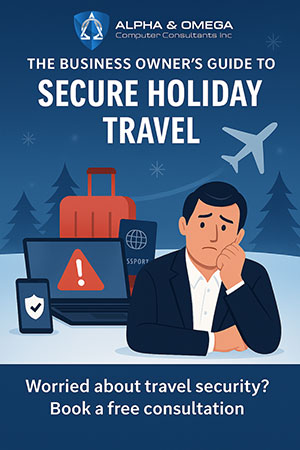
 Three hours into a five-hour drive to visit family, a voice from the back seat pipes up: “Can I play Roblox on your laptop?” It’s the work laptop—the one with client files, financial data, and access to your entire business. You’re tired, traffic is heavy, and keeping the kids entertained sounds like a win. What’s the harm?
Here’s the thing: Holiday travel introduces cybersecurity vulnerabilities you don’t face in your regular routine. You’re distracted, out of your usual environment, and often juggling family time with “just checking in” on work. Whether the trip is business, pleasure, or that awkward mix of both, here’s how to protect your data without spoiling the holiday.
Before You Leave: The 15-Minute Security Prep
A quick checklist before you pack the car or head to the airport can make all the difference.
Device readiness: - Install all pending security updates - Back up important files to the cloud - Enable auto screen lock (2-minute timer max) - Activate “Find My Device” for phones and laptops - Charge and pack a power bank - Bring your own charging cables and adapters
Family readiness: - Set clear rules about which devices are okay for kids to use - Prepare a family iPad or secondary device for entertainment - If needed, create a restricted user account on your laptop
Pro tip: A $150 tablet is cheaper than a data breach. Keep work devices off-limits for play.
Hotel WiFi: Don’t Trust, Always Verify
Hotel networks are shared by hundreds of guests. Some of them aren’t just there for vacation.
Real risk: Some travelers unknowingly connect to fake WiFi networks set up by attackers nearby. Everything typed or accessed—from passwords to emails—gets intercepted.
Safer habits: - Confirm the exact WiFi name with the front desk - Use a VPN when accessing work files or systems - For banking or confidential tasks, stick to your phone’s hotspot - Let kids stream on hotel WiFi—but keep business separate
The “Can I Use Your Laptop?” Dilemma
Kids aren’t hackers, but they click, download, and share without thinking. On a personal device, it’s annoying. On a work device, it’s a cybersecurity risk.
Best option: Just say no. Keep work devices for work only.
If sharing is unavoidable: - Use a restricted user account - Supervise use and disable downloads - Don’t save their logins or passwords - Clear browsing history after use
Streaming on Hotel TVs: The Forgotten Log-Out
Logging into Netflix on a hotel TV feels harmless—until the next guest has full access to your account.
Worse, if that password is reused elsewhere (please say it isn’t), you’ve opened the door to more serious breaches.
Safer options: - Cast from your device instead of logging in on the TV - Set a phone reminder to log out before checkout - Pre-download shows and avoid the hotel TV altogether
And never log into banking, email, or work systems on shared devices like hotel TVs.
If A Device Goes Missing
It happens: Devices are forgotten in TSA bins, left in Ubers, or lost between hotel sheets.
First steps: - Use “Find My Device” - If not quickly recoverable, lock it remotely - Change key passwords from another device - Notify your IT partner or managed service provider (MSP) to revoke access if needed - If sensitive data is involved, begin the disclosure process
Before travel, make sure devices are:
- Trackable – Password protected - Encrypted - Remote-wipe enabled
Rental Car Tech: A Quiet Data Leak
Connecting your phone to a rental car’s Bluetooth can leave call logs, contacts, and message previews behind.
Before returning the car: - Delete your device from the car’s Bluetooth list - Clear recent destinations from the GPS - Better yet, skip Bluetooth and use an aux cable
The “Working Vacation” Trap
You promised time off but found yourself replying to emails between rounds of mini-golf.
Switching between work and family mode makes security slip-ups more likely. Distraction is a hacker’s best friend.
If you must stay plugged in: - Check email only at set times - Use a hotspot, not hotel WiFi, for work access - Work in private areas, not public lobbies - Be fully present when off-duty—your security mindset depends on it
The Smart Holiday Security Mindset
Perfection isn’t the goal. Awareness is. Set boundaries, use secure tools, and separate personal and professional tech as much as possible.
Quick recap:
- Prep devices before leaving
- Understand what’s high risk (e.g., banking on public WiFi)
- Say no when needed, and mean it
- Know how to respond if something goes wrong
Keep the holiday memorable—for the right reasons.
Simple safeguards protect your team, your data, and your peace of mind. And no one ends the year explaining why a laptop full of client data got compromised.
Looking for expert guidance on remote work cybersecurity, secure holiday travel policies, or endpoint protection? Book a free consultation with a managed IT provider experienced in serving high-risk industries like healthcare, finance, and government.
Schedule a free holiday security consultation
Make this season joyful and breach-free.